Unlocking Seamless Spa Data Sync: Your Essential Starter Guide
Ever wondered if your spa time could be more than an indulgence? With the right wellness app integration, you can transform each massage, facial or relaxation session into data points in Apple Health. Imagine tracking your relaxation, stress relief and mindful minutes alongside your workouts and sleep. It’s possible.
In this guide you’ll learn how to connect your Moon Lake Spa visits to the Apple Health and Fitness apps in just a few simple steps. Ready to make every spa moment count? Discover wellness app integration at Moon Lake Spa and start turning calm into measurable progress.
Why Track Spa Visits in Apple Health?
Logging your workouts, steps and heart rate is second nature. But spa visits? Often overlooked. Yet:
- A deep tissue massage reduces cortisol.
- A facial can boost skin health and confidence.
- Meditation and mindfulness sessions count as mindful minutes.
With proper wellness app integration, these benefits show up in your health dashboard.
Here’s what you gain:
- Holistic progress: Mind, body and skin metrics in one place.
- Motivation boost: Seeing stress levels drop is thrilling.
- Better self-care: Data-driven insights help you plan your next session.
Core Apple Health Categories for Spa Data
Apple Health uses categories that aren’t spa-specific, but you can repurpose them:
-
Mindful Minutes
Log guided meditations or breathing exercises from your spa retreat. -
Active Calories
Record gentle yoga or movement sessions. -
Resting Heart Rate
Compare pre- and post-massage RHR for stress relief proof. -
Sleep Analysis
Track improved sleep after a deep-relaxation treatment.
Manual Entry vs. Automated Sync
Manual entry feels tedious, right? That’s why we recommend two approaches:
- Manual Shortcut
Create an iOS Shortcut to log “Spa Visit” in Mindful Minutes with duration. - Third-Party App
Use an app like MindfulTime or HeartTrack Pro. They can push data into Apple Health.
Either route amps up your wellness app integration without constant tapping.
Step-by-Step: Logging a Spa Session
- Open the Shortcuts app on your iPhone.
- Create a new Shortcut titled “Spa Session”.
- Add the action “Log Mindful Minutes”.
- Set duration to match your appointment (e.g. 60 min).
- Run the Shortcut after your massage or facial.
Voilà. Apple Health now shows your spa session in Mindful Minutes. Combine with RHR entries for deeper insights.
Integrate with Fitness Apps
Apple Fitness and third-party apps love Mindful Minutes too. You can:
- Add spa sessions as “Other Workouts” in Fitness.
- Sync HRV changes to apps like HeartTrack or Strava for cycling.
- View weekly stress relief trends alongside daily goals.
By mixing spa data into active metrics, you nail true wellness app integration.
Treat yourself: book a facial, massage or special package today(https://moonlakespa.com/)
Moon Lake Spa’s Digital Edge
At Moon Lake Spa we understand tracking matters. That’s why:
- Our online booking sends you a calendar invite.
- We email a wellness summary with recommended tracking categories.
- You leave armed with tips on how to log your session in Apple Health.
Plus, our signature treatments pair perfectly with data tracking:
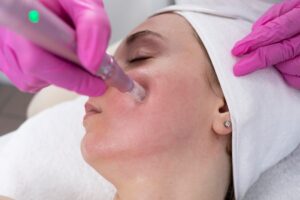
- Collagen Gun Facial for skin health (log as Skin Analysis notes).
- Moon Lake Signature Massage for RHR dips.
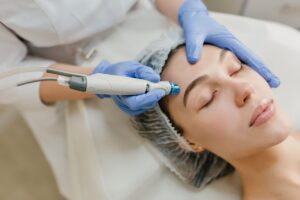
- LED Light Therapy to boost sleep quality data.
Mid-Article Check-In & Second CTA
By now, you’re ready to turn each spa treat into a health boost. Embrace the power of numbers and feel the motivation soar. Ready for true peace of mind?
Experience seamless wellness app integration at Moon Lake Spa
Handy Tips for Better Integration
- Calibrate your watch: Ensure heart rate and steps sync often.
- Review sync frequency: Some apps update hourly, some daily.
- Clean data: Delete duplicates in Apple Health if you log manually.
- Experiment: Test a 30-minute facial as a Mindful Minute session.
Spotlight on Key Services
Want to optimise integration? Try these:
-
SkinCeuticals NOURISH & HYDRATE Luxury Spa Treatment
Perfect for logging skin-health progress.
Explore our SkinCeuticals NOURISH & HYDRATE Luxury Spa Treatment -
Therapeutic Deep Tissue Massage
Ideal for clocking heart-rate drops.
Relax with a therapeutic deep tissue massage -
Express Laser Glow Facial (BBL)
Track sleep improvements afterwards.
Try our Express Laser Glow Facial for radiant results
Why Moon Lake Spa Wins Over Others
You’ve seen gadgets that sync heart rate, steps and workouts. They’re great for reps and rides. But spa visits? Often ignored or clunky. Here’s how we differ:
- Personalised wellness summaries for Apple Health.
- Direct guidance on which Health categories to use.
- Skilled therapists who explain the science behind each metric.
- Community workshops on holistic tracking and stress management.
No other spa in Vienna, McLean or Tysons Corner offers this blend of pampering, tech-savvy education and true wellness app integration.
FAQs on Spa-to-Health Sync
Will logging a spa session affect my fitness goals?
Yes, if you log as an “Other Workout” it can fill your daily Move ring. Or keep it purely in Mindful Minutes to protect calories burned.
How often should I sync?
Hourly syncs are ideal. If you use a third-party app, check its background refresh settings.
Can I see past spa sessions in Apple Health?
Absolutely. Each entry stays in your Health log unless deleted.
Does Moon Lake Spa have its own app?
Not yet, but our booking system automatically nudges you with logging tips.
Third CTA & Final Thoughts
Ready to take your self-care to the next level? Every massage, facial and relaxation session can boost your health stats. It’s not just bliss, it’s measurable progress.
Integrate your spa journey with our wellness app integration
Remember, spa visits aren’t just indulgences. With smart wellness app integration, they become milestones in your health journey. Start tracking today and watch your mindful minutes, stress relief and sleep quality flourish.